Documents called portfolios may demonstrate your professional or artistic abilities in more depth than a resume.
Depending on the industry you work in, your portfolio may take on a specific form, but certain fundamental principles apply to all types of portfolios.
In various circumstances during your career, you may need to create a portfolio; thus, learning how to do so is helpful.
In this post, we’ll look at portfolio creation and provide some advice on how to make it useful.
Portfolio: What is it?
A portfolio is a collection of your finest work examples that may demonstrate your abilities and subject-matter knowledge.
It aids a prospective employer or customer to comprehend your capabilities, the tools you apply, and the breadth of your subject-matter experience.
A portfolio may also include your résumé, a personal statement, documentation of honors and achievements, recommendations, testimonies, and a headshot of you.
The sort of work examples you add will determine your portfolio’s precise format and presentation.
You could require a physical portfolio for book-marking and an online portfolio for animation and illustration, for instance, if you specialize in digital illustration, animation, and book-making.
You may have a scroll-down interface on a single page for your illustration portfolio.
The animation portfolio might be nothing more than a collection of links that are embedded on another website or this one.
What Are The Steps To Making A Free Portfolio?
There can be material and printing expenses associated with creating a physical portfolio and any associated service fees.
Consider creating a tangible portfolio if your work utilizes media best experienced in a physical format.
For instance, if you’re a textile designer, you could attach fabric samples that the user can feel, touch, and carefully examine.
The impact on a user of images or digital representations of fabric samples could be different.
If such medium-specific restrictions do not constrain you, take into account these ways to share your work for free:
- Online: You can publish your work for free on well-known sites like Behance, Issuu, WordPress, Cargo, Flickr, and Dribbble, but you may need to pay a membership fee to access premium services.
- Your portfolio may be routinely updated, and you can include links to it in resumes, cover letters, and even email signatures.
- Website: Consider creating a unique website using a free builder like Wix, GoDaddy, or Squarespace. Additionally, this enhances your web visibility.
- Social media accounts: Additionally, you may build social media identities to display your work accurately. As a result, you can quickly get feedback on your ideas and work samples from a larger audience.
How Can I Create a Portfolio?
Follow these steps to construct a portfolio after determining how to do so:
1. Find Motivation
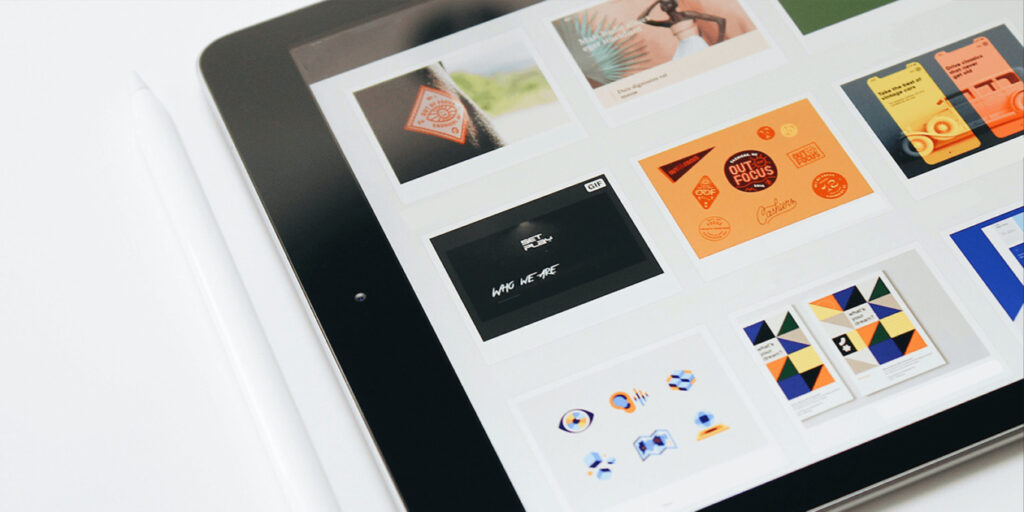
Starting with some visual investigation, create a portfolio. Looking around at other online portfolio websites can inspire and spark some early ideas, regardless of the industry you work in.
- Looking at websites run by other individuals in your particular creative specialty or sector is highly advised.
- Start imagining the atmosphere and experience you want to communicate in your portfolio as you browse these resources.
- You may construct a mood board or take notes to help you with your creative process.
- Think about important elements like the color scheme, typography, and site structure that you enjoy, and educate yourself on the most recent trends in web design.
2. Decide on a template
What is the best way for users to go from one page to the next? By selecting an option from a menu or reading on for more details?
Do you prefer a one-page website or a collection of full-screen photos that open as separate pages?
- In the next phase, you’ll ask yourself these questions while selecting your portfolio template.
- When you’re prepared, have a peek at these creative portfolio templates.
- You could come across something close to the outcome you want, in which case you might alter it and make it your own.
- You may always build your website from scratch and experience total freedom of expression online if you want to work with a blank slate.
3. Highlight your Finest Work:
The centerpiece of your web portfolio should be your real work, so be sure to present it as effectively as possible.
It must be prominent and simple to access from the website menu or homepage. A special “projects” page for this task may be added to your website.
- Share just your finest work to show them your talent and ingenuity.
- Doing so will draw their focus to your strong points and maintain a high-quality standard across your portfolio.
- Make sure to update your website sometimes so that you are constantly sharing your most current works and showing off your greatest work.
- Visitors will see that you are busy, employed, and skilled.
- When you initially construct an online portfolio, think about how you can make it simple to maintain so that you can easily add new work as you go.
- Each project should have a story included so that viewers may understand the context of your work.
- An often ignored portfolio design advice is to include a brief explanation of the project, your position, and any colleagues you worked with.

4. Employ High-Quality Pictures:
High-quality photos are needed for more than just photography portfolios.
Spend time and effort shooting your work, method, and goods to ensure that it presents online as it does in person.
When hiring a professional photographer is not an option, use mockups to bring your designs to life.
5. Include the Appropriate Features and Information:
It’s time to decide which extra material you want to include in your online portfolio and how to exhibit it strategically after you have a solid foundation from which to work and a collection of projects ready to display.
Text, photos, and other types of material are included.
Here are the most important pages and parts to include, along with some expert design elements to think about using on your site, regardless of whether you’re developing an industrial design portfolio, graphic design portfolio, or any other form of portfolio:
Homepage
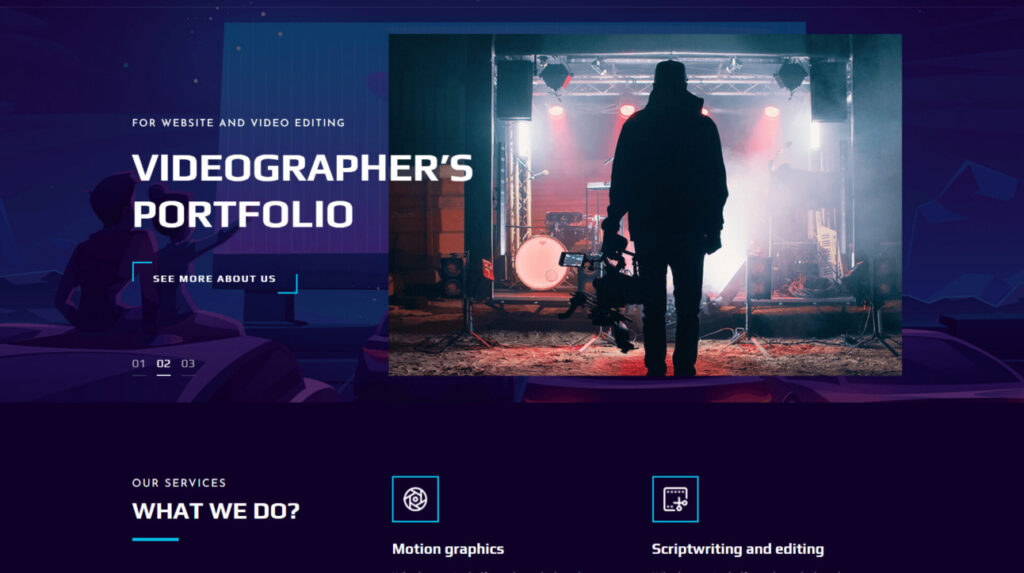
Your portfolio’s online home should be designed to draw visitors’ attention.
In addition to the aesthetic appeal, your site offers the ability to pique the interest of prospective customers and employers with an intriguing opening line.
- Make it brief and concise, stating who you are and what you do in full.
- Your name and primary area of expertise are a must regardless of whether you want to delve into your biographical information here.
- Since your homepage serves as the beginning point and the foundation for user navigation, provide a menu of options that is simple to use and unambiguously points people to the appropriate area of your website.
About page
Your history and a brief bio are shown on the About page, with key details about your activities and an overview of your distinct personality and ideals.
- Include any distinguishing characteristics, such as your accomplishments and expertise.
- Clarifying your present job situation and including your resume are wise moves.
- You can add it straight to the page or download a PDF of it.
- Puns, clever microcopy, pictures, or anything else that seems authentic to you are all great ways to display your individuality.
Contact details
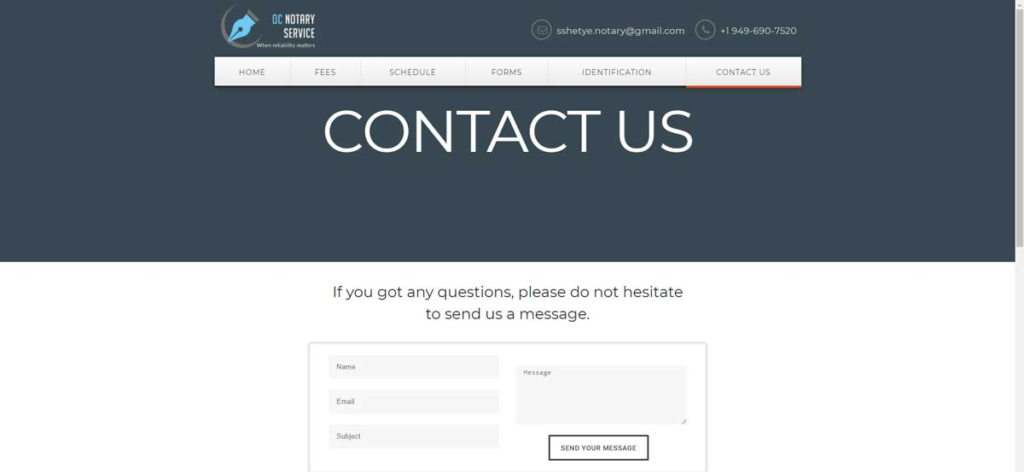
- Once your website has wowed visitors, make sure they can get in touch with you quickly.
- Commissions won’t magically appear in your inbox, so ensure you can be reached by including a contact form, email, phone number, and links to your social media accounts.
- These might be highlighted in your menu, on a specific contact page, or as a pinned element on the side of the screen.
- Reiterating your contact information at the bottom of your website is also highly advised to provide visitors one more opportunity to get in touch.
Customers and Testimonies:
With a list of reputable clients who have decided to work with you, highlight your professionalism.
- Mention any initiatives of yours that have appeared elsewhere or gained press attention.
- You may also provide one or two references from pleased customers.
- Testimonials may greatly increase the trustworthiness of your online portfolio as long as the feedback is sincere and isn’t excessive.
- Don’t pass up this opportunity for free and genuine PR.
Include Attributes of Professionalism
See how you may add design elements that attract your visitors’ attention by upgrading the style of your online portfolio to provide a professional appearance and an engaging experience.
- These final touches, which range from lightboxes and animation to parallax scrolling and hover effects, may help make your website more engaging.
- They may also be used as practical aids, directing people to a particular area or encouraging engagement.

6. Enhance the UX of Your Portfolio:
It’s time to put everything together now that you have your material. There are many things to consider for your website to have a positive user experience (UX).
- List all the web pages you’ve chosen to build first. Next, decide which components must be present on each page.
- A project page, for instance, may include a featured picture, a header, a description, and a few more photos or media assets.
- You may prioritize, determine their hierarchy, and create a suitable website layout by listing the things on each page.
- You have two options: start building your portfolio website immediately and progressively add pieces or sketch your ideas on paper as wireframes.
- You may choose the navigation after you know which pages will comprise your online portfolio. How do you want users to go from one page to the next?
- Will there be a fixed menu at the top of each page or a hamburger menu that expands into a fullscreen list? How will you let users know which page they are on?
This tutorial offers advice on navigating websites and goes through all the factors you should consider for a seamless surfing experience.
7. Improve the SEO of Your site:
If no one can access it, what use is an online portfolio? Work on improving your website to move it up in the Google search results so that customers can discover you and make a reservation for your services.
Search engine optimization (SEO) is a continuous process that involves several aspects of your website. The following advice will get you going:
- Produce original, worthwhile, and fresh written material – Writing blog entries is an excellent strategy since it will allow you to offer thoughts that other designers and creatives will find interesting.
- Google (as well as site visitors) will see that you’re actively working if you do this.
- Research keywords – The appropriate keywords for your website. When people search for creatives like you on Google, keywords are the most often used search terms.
- “Independent web designer” or “Toronto architect” are two examples of keywords. After keyword research, include these terms in your website at important locations.
- Add alternative text to your photos – Alt text, which stands for alternative text, is a brief explanation of the pictures and photographs on your site (for instance, “postcards and business cards for a branding project”).
- SEO Writing – Alt text may also increase the accessibility of your website. Your online portfolio is likely to have a lot of visual components, so make use of this to incorporate your keywords into the alt text.
- Create headings and summaries – (often referred to as metadata) on each page in your design portfolio.
- Regional/Local SEO – Utilize local SEO to be discovered by locals. Use local SEO if you’re a freelance designer with a physical location to make sure people looking in your region can find your portfolio.
- Ensure that you include your location on the pages of your website, register your website with the necessary directors, and declare your company on Google My Business.

8. Optimize it for Mobile Devices:
People often overlook the vast majority who access their websites via a smartphone.
In actuality, 52% of all online page views globally come from mobile devices. The finest website designs should thus render as well on mobile and desktop.
- Making sure a portfolio is mobile-compatible is one of the biggest difficulties designers confront when building one online.
- There are a few guidelines to follow when designing for mobile, as your mobile website is more than simply web design scaled down.
- You should simplify your site’s mobile version for the tiny screen by ensuring that only the most important components are shown.
- Make sure your fonts and colors are readable, and pay attention to how you employ them.
- To make navigating easier, lessen the quantity of typing needed and think about adding a search box.
- Your site will immediately produce a mobile-friendly version with an adaptable gallery for your photographs if you’re building your portfolio with Wix.
9. Request Truthful Feedback
We’ve all experienced being so engrossed in a project that we lose sight of its true purpose.
It is wise to run your website with a second pair of eyes for some perspective and new ideas.
- Inquire about the information and images in your portfolio from your reliable pals. Did they believe your portfolio lacked certain details?
- What aspects of your website’s look did they enjoy or dislike? Was it simple to use?
- Critical input from your peers may help you polish the specifics of your site, even if it necessitates revisions.

10. Publicize and Advertise
Don’t forget to share your online portfolio on your social media platforms, including Pinterest, Dribbble, and more, when you’ve published it.
This simple social media marketing plan can increase your client reach, raise your SEO ranking, and provide more candid feedback.
- Including social media links on your website will make it easier for users to access your social media accounts, which is another Instagram tip for designers.
- Once you’ve spread the word, remember that your portfolio should develop with you.
- There is always room for improvement; another adjustment is just around the corner.
- Continue adding new projects and material to your website, adding new features, enhancing user experience, and keeping abreast of design trends.
Final Thoughts: Portfolio Creation
Even if there are probably many online companies comparable to yours, understanding how to design a portfolio with the correct website builder can hasten your development as a freelancer or creative.
But just as important as establishing your portfolio is marketing it. You need to create a marketing plan to bring your website in front of potential customers interested in your services or goods.
To go back to concentrating on your projects and customers, use this method to establish your portfolio.