Hey there! In today’s digital age, having a website for your small business is essential.
A website can help you establish credibility, reach a wider audience, and grow your business.
Plus, creating a website has never been easier! All you need is a bit of time, creativity, and the right tools.
In this guide, we’ll walk you through the steps to create a small business website that reflects your brand and meets your goals.
Whether you’re starting from scratch or looking to improve an existing website, we’ve got you covered. So, let’s get started!
Why Every Small Business Needs A Website:
Establish Credibility:
- Having a website for your small business can help you establish credibility with potential customers.
- A website can showcase your products or services, provide important information, and give customers a way to contact you.
Reach a Wider Audience:
- A website can help you reach a wider audience beyond your local community. With a website, you can market your business to people from all over the world.
Build Your Brand:
- Your website is an opportunity to showcase your brand, highlight your unique selling points, and differentiate yourself from the competition.
Generate Leads and Sales:
- A website can help you generate leads and sales by providing a way for customers to buy your products or services online.
Stay Competitive:
- In today’s digital age, having a website is expected. Without a website, you may be losing potential customers to your competitors who do have a website.
What You’ll Need To Create A Website:
Domain name:
A domain name is the web address of your website. People use it to search for your website in their browsers.
Website Hosting:
A service called website hosting makes it possible for people to access your website over the internet.
It’s like renting a space on the internet where your website will be stored.
Website Platform:
A website platform is the software that allows you to create and manage your website.
- There are many different website platforms to choose from, each with their own pros and cons.
Website Design:
The design of your website is important. It ought to be simple to navigate and reflect your brand.
Website content:
Your website’s content needs to be well-written, persuading, and informative.
- It should showcase your products or services and give customers a reason to do business with you.
Website Functionality:
Your website should have the right functionality to meet your business goals.
- This might include things like a contact form, e-commerce functionality, or social media integration.
Launching and Maintaining your Website:
Once your website is built, you’ll need to launch it and maintain it.
- This includes things like testing, search engine optimization, and regular updates.
Choose a Domain Name:
A domain name is the web address that people use to find your website on the internet. It’s like your online street address.
For example, the domain name for Google is “google.com”. Your domain name should reflect your brand and be easy for people to remember and type into their browser.
How To Choose Good Domain Name For Small Business
Keep it Simple:
It’s important that your domain name is simple to remember and spell. Avoid using complicated words or confusing spellings.
Make it Memorable:
Your domain name should be memorable and stand out in people’s minds. It should be unique and memorable.
Make it Brandable:
- Your domain name should reflect your brand and be easily recognizable as belonging to your business.
Avoid Using Hyphens or Numbers:
- Hyphens and numbers can make your domain name harder to remember and type into a browser.
Consider keywords:
Including relevant keywords in your domain name can help with search engine optimization.
Check for availability:
Before choosing a domain name, check to make sure it’s available.
- You can use a domain registrar like GoDaddy or Namecheap to search for available domain names.
How to Purchase a Domain Name:
Once you’ve chosen a domain name, you’ll need to purchase it. Here’s how:
Choose a domain registrar:
One who sells domain names is known as a domain registrar.
- There are many different registrars to choose from, including GoDaddy, Namecheap, and Bluehost.
Search for available domain names:
- Use the registrar’s search tool to find available domain names that match your business.
Choose a domain extension:
The domain extension is the part of the domain name that comes after the “dot”.
- The.com,.net, and.org extension for domain names are common.
Purchase the domain:
Once you’ve found an available domain name, follow the registrar’s instructions to purchase it.
- You’ll need to provide some basic information, including your contact information and payment details.

Set up your domain:
Once you’ve purchased your domain name, you’ll need to set it up to work with your website.
- This will involve configuring your domain’s DNS settings to point to your website’s hosting server.
- Your web hosting provider can provide you with the necessary information to do this.
Choosing a domain name is an important step in creating a website for your small business. It should be memorable, brandable, and easy to remember.
Once you’ve chosen a domain name, purchasing it is a simple process that can be done through a domain registrar.
Choose a Website Platform:
A website platform is the software that allows you to create and manage your website.
It provides a framework for designing and building your website, and includes tools for adding content, customizing the design, and managing the site.
There are many different website platforms to choose from, each with their own strengths and weaknesses.
Different Website Platforms to Consider:
WordPress:
WordPress is one of the most popular website platforms, powering over 40% of all websites on the internet.
It’s free and open-source, with a huge community of developers creating plugins and themes to extend its functionality.
WordPress is highly customizable and can be used to build any type of website, from a simple blog to a complex e-commerce site.
Pros:
- Highly customizable
- Huge community of developers creating plugins and themes
- Able to be used to create any kind of website
Cons:
- Steep learning curve for beginners
- Requires regular maintenance and updates
Wix:
Wix is a drag-and-drop website builder that’s designed to be easy to use.
It offers a wide range of templates and customization options, and includes a variety of features such as e-commerce functionality, social media integration, and SEO tools.
Pros:
- Easy to use drag-and-drop interface
- Wide range of templates and customization options
- Includes a variety of features such as e-commerce functionality and SEO tools
Cons:
- Limited flexibility and customization options compared to WordPress
- May not be suitable for complex websites
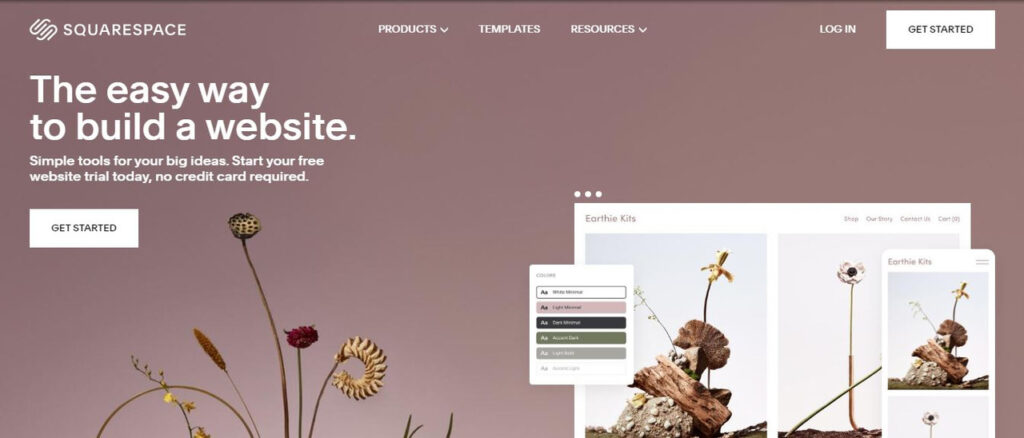
Squarespace:
Squarespace is a website builder that’s focused on design.
It offers a range of modern and stylish templates, and includes features such as e-commerce functionality, a blogging platform, and social media integration.
Pros:
- Focused on design, with modern and stylish templates
- Includes features such as e-commerce functionality, a blogging platform, and social media integration
Cons:
- Fewer customization and flexibility options compared to WordPress
- Can be more expensive than other platforms
Shopify:
Shopify is a website platform that’s specifically designed for e-commerce.
It includes a variety of features such as product management, inventory tracking, and payment processing.
Pros:
- Designed specifically for e-commerce, with a range of features for managing products and processing payments
- Easy to use and set up
Cons:
- Compared to other platforms, there are fewer customization options
- Can be more expensive than other platforms, especially when factoring in transaction fees
Choosing a website platform is an important decision for your small business.
Your particular needs and objectives will determine which platform is best for you because each one has advantages and disadvantages.
Consider factors such as ease of use, customization options, and features when making your decision.
Design Your Website
Choosing a design theme is an important part of building your website. A design theme is a pre-made template that determines the overall look and feel of your site.
It provides a framework for your site’s layout, typography, and color scheme. Here are some tips for choosing a design theme for your small business website:
- Choose a theme that matches your brand: Your website should reflect your small business brand.
- Look for a theme that matches your brand’s colors, fonts, and overall aesthetic.
- Consider your website’s functionality: Think about what you want your website to do.
- If you’re an e-commerce business, you’ll need a theme that supports online sales. If you’re a blog, you’ll want a theme that supports a blog format.
- Look for a responsive design: Responsive design means that your website will look good on any device, whether it’s a desktop computer, tablet, or smartphone.
- Look for a theme that’s responsive so that your website looks great no matter how it’s accessed.
How To Customize Your Website To Fit Your Small Business Brand:
Once you’ve chosen a design theme, you’ll want to customize it to fit your small business brand. Here are some tips for customizing your website:
- Add your logo: The brand identity of your company heavily depends on your logo. Make sure to add it to your website so that visitors know they’re in the right place.
- Use your brand’s colors and fonts: Your brand’s colors and fonts should be consistent across all of your marketing materials, including your website. Use your brand’s colors and fonts in your website’s design.
- Choose images that fit your brand: Use images that match your brand’s aesthetic. This can include photos of your products, your team, or your workspace.
- Consider your website’s content: Your website’s content should be tailored to your brand’s voice and tone. Make sure your website’s copy reflects your brand’s personality.
Best Practices For Website Design:
Here are some best practices for website design:
- Keep it simple: A clean and simple design is easier for visitors to navigate. Avoid clutter and focus on providing a clear user experience.
- Make it easy to navigate: Your website’s navigation should be easy to use and understand. Use clear labels and organize your content in a logical way.
- Use high-quality images: High-quality images can help to elevate the look of your website. Use bright, clear images whenever possible.
- Ensure accessibility: Your website should be accessible to everyone, including people with disabilities.
- Make sure to include alt text for images and use colors and fonts that are easy to read.
Designing your small business website can be a fun and exciting process.
By choosing a design theme that matches your brand, customizing your website to fit your small business, and following best practices for website design, you can create a website that’s both attractive and functional.

Create Your Website Content
The most crucial component of your website is the copy.
It’s what convinces visitors to stay on your site, learn more about your business, and ultimately become a customer.
Here are some tips for writing website copy that sells:
- Know your audience: To write effective website copy, you need to understand your audience. What are their pain points?
- What are their needs? What do they care about? Utilize this knowledge to make your copy more relevant to their interests.
- Write for the web: Web writing differs from print writing in several ways. Keep your paragraphs short and use subheadings and bullet points to break up your content.
- Use persuasive language: Your website copy should be persuasive. Use language that convinces visitors to take action, such as “buy now” or “learn more.”
- Highlight your unique selling proposition: Your unique selling proposition (USP) is what sets you apart from your competitors. Make sure to highlight your USP in your website copy.
What types of content to include on your website:
Your website should have a variety of content to engage visitors and encourage them to learn more about your business. Here are types of content to include on your website:
- About Us page: Your About Us page is a chance to tell your story and explain what makes your business unique.
- Services or Products page: This page should explain what your business offers and how your products or services can benefit your customers.
- Contact Us page: Your Contact Us page should include your business’s phone number, email address, and physical address.
- Testimonials or Reviews: Social proof is a powerful tool. Including testimonials or reviews from satisfied customers can help to build trust with potential customers.
- Blog: Maintaining a blog is a great way to build your audience’s trust and establish your company’s authority in the field.
How to Optimize Website for Search Engines:
Optimizing your website for search engines is important for making sure that potential customers can find you online. Here are some pointers for making your website search engine-friendly:
- Use keywords: To make it easier for search engines to understand what your website is about, use pertinent keywords throughout the content.
- Use meta tags: Meta tags are pieces of code that provide information about your website to search engines.
- Make sure to include meta tags for your website’s title, description, and keywords.
- Include alt tags for images: Alt tags provide a description of your images for search engines. Use keyword-rich alt descriptions that are descriptive.
- Use internal linking:
- Search engines can better understand your website’s structure thanks to internal linking. Make sure to link between related pages on your site.
Creating your small business website content can take time and effort, but it’s worth it to create a site that effectively communicates your brand and attracts customers.
By writing website copy that sells, including a variety of content on your website, and optimizing your website for search engines, you can create a website that helps your small business grow.
Add Website Functionality
Functionality is what makes your website more than just a static page. It’s what allows visitors to interact with your site, take action, and learn more about your business.
Here are some types of functionality to consider for your small business website:
- Contact forms: Contact forms allow visitors to send you a message directly from your website.
- This is a great way to encourage engagement and make it easy for potential customers to get in touch with you.
- E-commerce functionality: If you sell products or services online, you’ll need e-commerce functionality to process payments and manage orders.
- Social media integration: Social media is an important part of many businesses’ online presence.
- Integrating social media into your website can help you build your brand and engage with your audience.
- Appointment scheduling: If you provide services that require appointments, adding an appointment scheduling feature to your website can make it easy for customers to book with you.
- Maps and location information: If you have a physical location, including a map and location information on your website can help potential customers find you.
How to add functionality to your website:
Adding functionality to your website can seem intimidating, but it doesn’t have to be. Here are some steps to add functionality to your website:
- Choose a plugin or tool: There are many plugins and tools available to add functionality to your website.
- Look for a reputable provider that has good reviews and offers the features you need.
- Install and configure the plugin: Once you’ve chosen a plugin, install it on your website and configure it to meet your needs.
Test the functionality: Make sure to test the functionality to ensure that it works as intended and is easy for visitors to use.

Best practices for website functionality:
When adding functionality to your website, there are some best practices to keep in mind:
- Choose functionality that serves a purpose: Don’t add functionality just for the sake of it. Make sure that it serves a purpose and helps visitors achieve their goals.
- Keep it simple: Don’t overwhelm visitors with too many features or options. Maintain a clear and user-friendly website.
- Ensure accessibility: Make sure that your website’s functionality is accessible to all visitors, including those with disabilities.
- Regularly update and maintain functionality: Keep your website’s functionality up to date and make sure to test it regularly to ensure that it’s working as intended.
By adding functionality to your small business website, you can create a site that’s more engaging, more user-friendly, and better at achieving your business’s goals.
Consider the types of functionality that would be most useful to your visitors, choose reputable plugins and tools, and follow best practices for website functionality to create a website that your visitors will love.
Launch Your Website
Before launching your website, it’s important to preview and test it to ensure that everything is working as intended. To do that, follow these steps:
- Preview your website: Preview your website to make sure that it looks and functions as intended.
- Check that all images and text are displaying correctly and that links and buttons work.
- Test your website on different devices: Test your website on different devices, including desktops, tablets, and smartphones, to ensure that it’s responsive and easy to use on all screen sizes.
- Check for errors: Check for any errors on your website, such as broken links or missing images, and fix them before launch.
How To Make Your Website Live:
Once you’ve previewed and tested your website, it’s time to make it live. Here are some steps to follow:
- Choose a web host: Choose a web host that can host your website and make it live on the internet.
- Upload your website: Upload your website to your web host’s server. This may involve using an FTP client or a web-based file manager.
- Update your domain name settings: If you purchased your domain name separately from your web host, you’ll need to update your domain name settings to point to your web host’s server.
- Test your live website: After making your website live, test it again to ensure that it’s still working as intended.
What To Do After Your Website Is Launched:
Launching your website is just the beginning. Here are some things to do after your website is live:
- Promote your website: Promote your website on social media, in your email signature, and through other marketing channels to drive traffic and increase awareness of your business.
- Monitor your website’s performance: Monitor your website’s performance using analytics tools to track traffic, engagement, and other metrics. Use this information to improve your website over time.
- Regularly update your website: Regularly update your website with fresh content, new functionality, and other updates to keep it relevant and engaging.
- Maintain website security: Keep your website secure by using strong passwords, regularly updating software and plugins, and using SSL encryption.
By following these steps, you can successfully launch your small business website and start reaping the benefits of having an online presence.
Remember to regularly update and maintain your website to ensure that it continues to meet your business’s goals and the needs of your visitors.
Conclusion:
In conclusion, creating and launching a website for your small business can seem like a daunting task, but with the right approach and tools, it can be a straightforward and rewarding process.
By following the steps outlined in this guide, you can choose a domain name, select a website platform, design your website, create content, add functionality, and launch your website.
Once your website is live, remember to promote it, monitor its performance, regularly update it, and keep it secure.
By doing so, you can create a powerful online presence for your small business that can help you reach new customers, increase your visibility, and grow your business.